
SmartSpendr
Your money has a coach now.
SmartSpendr's AI reads your spending and tells you exactly what to fix — not just where the money went.


Meet your AI Coach.
Ask a question, get a real answer — plain English, not a spreadsheet.
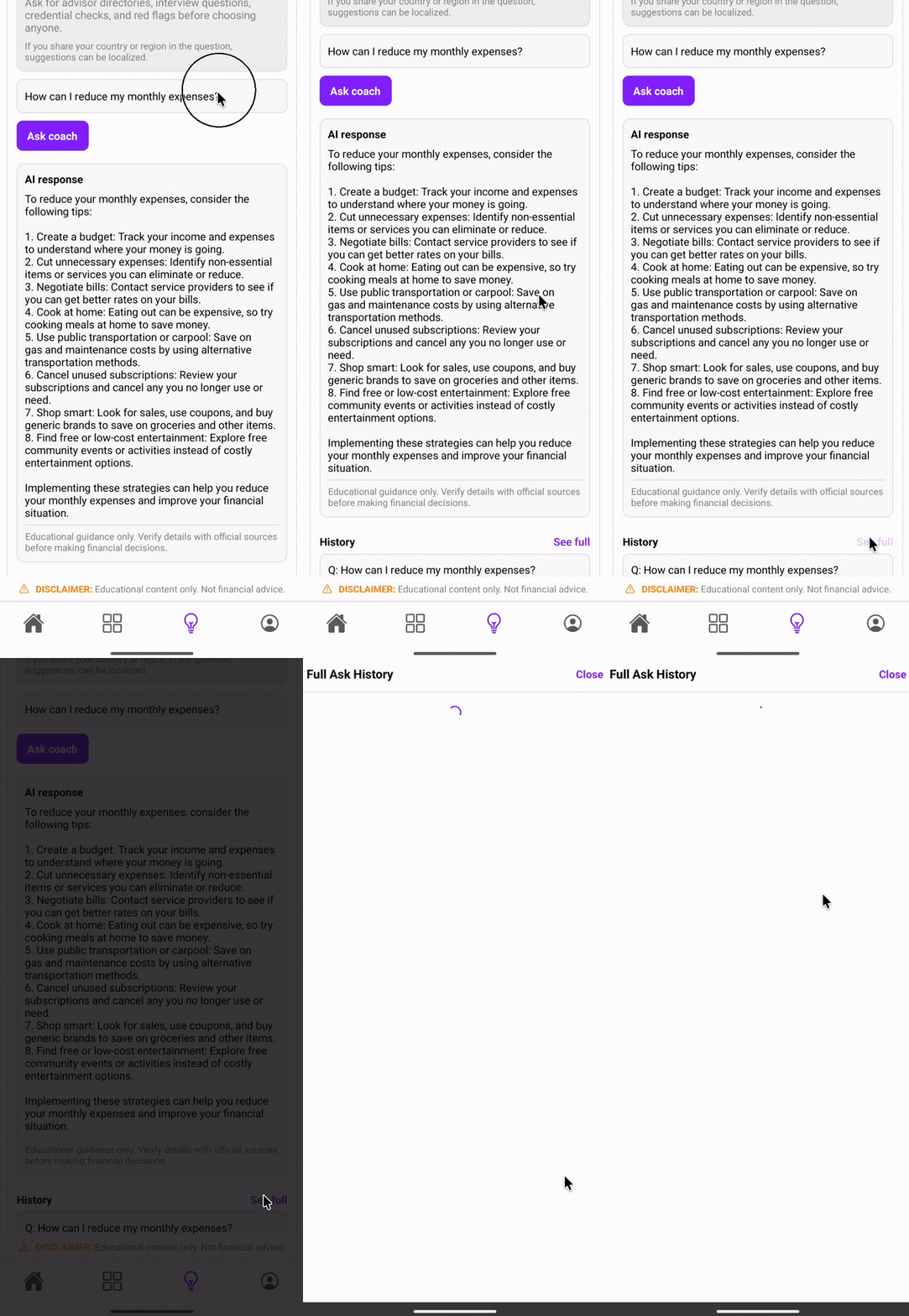
Tutorial: getting insights from your AI Coach
How it works
1. Create an account.
2. Add income and expenses.
3. Get AI coaching.
Choose your plan
Free to start. Upgrade when you're ready
No credit card required to try SmartSpendr
Free
$0
- Track income & expenses
- Multi-currency support
- Interactive dashboard & charts
- Attach receipt photos
- Offline access + cloud sync
Pro ⭐
$10/month or $100/year (save ~17%)
-
Everything in Free, plus:
-
AI Budget Coach — ask a question, get a real answer
Watch the full tutorial ↗ -
Import transaction history from CSV/XLSX
-
Live currency exchange rates Priority support


Cancel anytime in your App Store account settings. SmartSpendr provides budgeting insights and educational information only — not financial, investment, legal, or tax advice.
FAQ
Is my data secure?
Yes. SmartSpendr uses secure Firebase authentication and encrypted cloud storage; your financial data is private to your account.
Does it work offline?
Yes. You can add and edit records offline — they sync automatically once you're back online.
What currencies are supported?
SmartSpendr supports multi-currency tracking — record in one currency and view it converted to your preferred currency.
Is there a free plan?
Yes. Core expense and income tracking, multiple profiles and accounts, categories, and multi-currency accounts with manual exchange rates are all free. SmartSpendr Pro unlocks full AI Coach generation (Ask AI, Budget Coach, Growth Ideas) with PDF export, data import, automatic live exchange rates, and attaching images to records.
Can I import old data?
Yes. Pro users can import transaction history from CSV, XLSX/XLS, or QIF files with automatic column detection, or use AI to pull records straight from a receipt photo or a bank/card statement PDF — all under Settings > Import Data.