
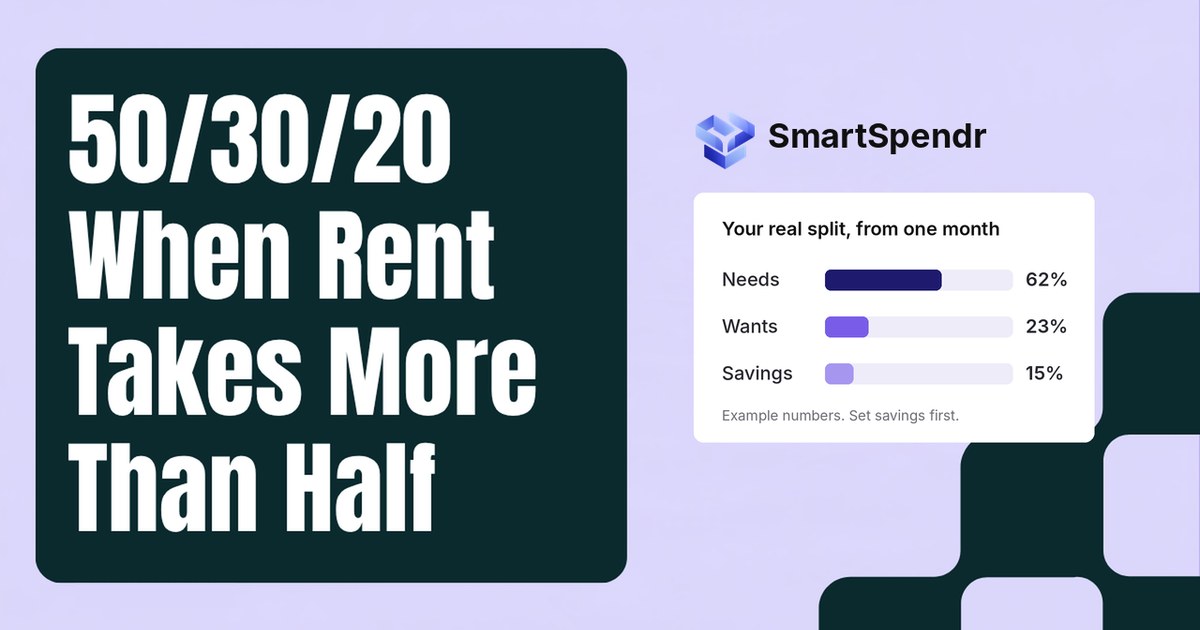
You read about the 50/30/20 rule, opened your banking app and did the sum. Rent alone is close to half your take-home pay. Add groceries, insurance, your phone and the minimum on your card, and “needs” is well past 50%.
So does the rule just not work for you? It still works as a starting point. You just need to set the numbers from your own month instead of borrowing someone else’s. Here’s how, in three steps.
What the 50/30/20 rule says
The rule splits your take-home pay (what lands in your account after tax) into three parts: about 50% for needs, 30% for wants, and 20% for savings and extra debt payments.
It was popularised by Elizabeth Warren and Amelia Warren Tyagi in their 2005 book All Your Worth, where they call it the Balanced Money Formula. It caught on because it’s simple: three numbers, no line-by-line budget.
Why the 50% is the part that breaks first
Wants are flexible. You can skip a dinner out this week. Needs mostly aren’t. Rent is fixed for the length of your lease, and it leaves your account first, before anything else gets a turn.
For reference, the U.S. Department of Housing and Urban Development (HUD) calls a household “cost-burdened” when it pays more than 30% of its income for housing, and severely burdened above 50% (HUD User). If rent alone is near half your pay, a 50% cap on all needs is out of reach this month, however careful you are elsewhere. That’s not a discipline problem. It’s arithmetic.
So the useful question isn’t “how do I hit 50/30/20?” It’s “what’s my real split, and what should next month’s be?”
Step 1: Find your real three numbers
Take one full month of spending. Last month is fine.
What counts as a need, a want, and savings
Needs are what you have to pay to live and keep working. Wants are everything else you spend on. Savings is money you deliberately set aside, or use to pay debt down faster.
| Expense | Usually | Grey area |
|---|---|---|
| Rent, utilities | Need | — |
| Groceries | Need | Takeout and delivery are wants |
| Phone | Need | A plan bigger than you use is partly a want |
| Car payment, gas, insurance | Need, if you need the car to get to work | A pricier car than you need is partly a want |
| Minimum debt payments | Need | — |
| Extra debt payments | Savings | — |
| Streaming, gym, dining out | Want | — |
| Retirement, emergency fund | Savings | — |
Don’t overthink the grey areas. Pick one rule for each and use it every month, so your numbers stay comparable.
Add them up
Total each group and divide by your take-home pay for the month. That’s your real split.
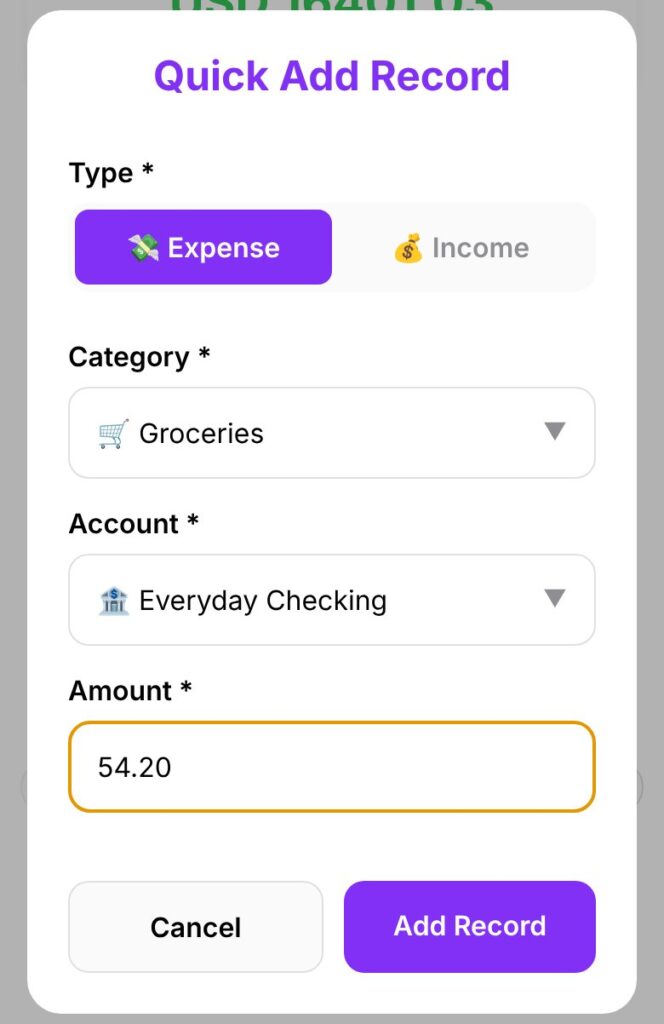
The hard part is having a full month of records to add up. If you don’t have one yet, start today: SmartSpendr‘s Quick Add logs an expense in about 5 seconds, so a month of records is mostly a habit of a few taps.
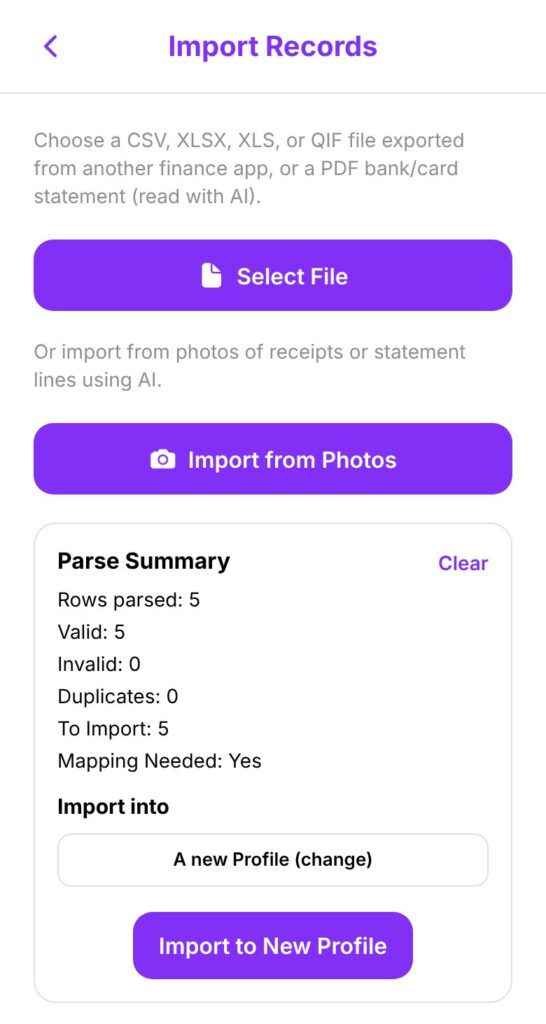
If you’d rather start from what already happened, SmartSpendr Pro can import a bank statement (CSV, Excel, QIF or PDF) or a photo of one.
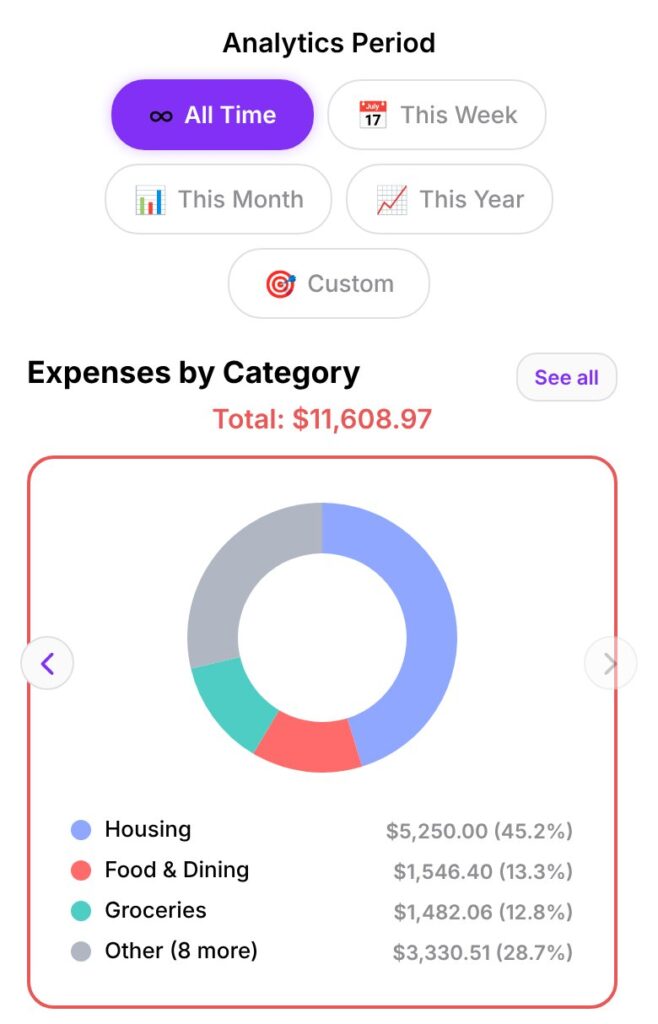
The category chart then shows each category’s share of your full total, so you can see which needs take the most.
Not sure where the “wants” part goes? Our 7-day overspending test is a quick way to find out.
New to tracking? Start with how to track expenses without linking your bank.
Step 2: Set savings first, then let wants take the rest
Once you know your needs, decide savings before wants. When needs are high, this is the step that keeps savings from quietly dropping to zero. Wants get whatever is left.
Here’s an example with made-up numbers. Take-home pay is $4,000 a month. Needs come to $2,480, which is 62%. That leaves 38% to split.
| Option A: 62/23/15 | Option B: 62/28/10 | |
|---|---|---|
| Needs | $2,480 | $2,480 |
| Wants | $920 | $1,120 |
| Savings | $600 | $400 |
Neither is “right”. Option A builds savings faster. Option B is easier to live with. A 10% you actually keep is worth more than a 20% you give up on in week two. If even 10% isn’t possible this month, pick a smaller number and start there.
Write your split down. That’s your budget for next month.
Step 3: Pick one need to work on over the next 6–12 months
Your split isn’t permanent. Needs that look fixed often have a date when they can change:
- Rent: the renewal date is your moment to negotiate, consider a roommate, or look at moving.
- Car insurance: compare quotes a few weeks before it renews.
- Phone plan: check whether a cheaper plan covers how you actually use it.
- Internet and utilities: ask about lower tiers or current offers.
Pick one, put the date in your calendar, and leave the rest for now. Every point that comes off needs can go to savings or wants. How much you can save depends on where you live and what’s on offer, so we won’t promise a number.
Check it without the spreadsheet: Budget Coach
If you’d rather not do the sum by hand each month, Budget Coach in SmartSpendr Pro does it from your records. The app sorts your categories into needs and wants, totals them, and compares them with the 50/30/20 limits for your income. The AI then explains the result in plain language. It is told to describe money left over at the end of the month as unspent, not as savings, because the app can’t know whether you put it aside.
Two things worth knowing. First, the app does the math, not the AI: totals are calculated from your records, and the AI is given the finished figures. Your transaction descriptions and notes are never sent to the AI. Second, Budget Coach compares against the standard 50/30/20 split. If you set your own split in Step 2, read its result against your targets. (More on how it works in AI Budget App, Explained.)
Your split for next month
- Find your real needs percentage from one month of records.
- Set savings first, then let wants take what’s left.
- Pick one need to bring down at its next renewal.
Then check again next month. The numbers will move, and that’s the point.
SmartSpendr is free on iPhone and Android. Download it at smartspendr.app, add this month’s spending with Quick Add, and see your own split.
This article is for education only and is not financial advice.
1 thought on “The 50/30/20 Rule When Rent Takes More Than Half: How to Set Your Own Split”
Comments are closed.