
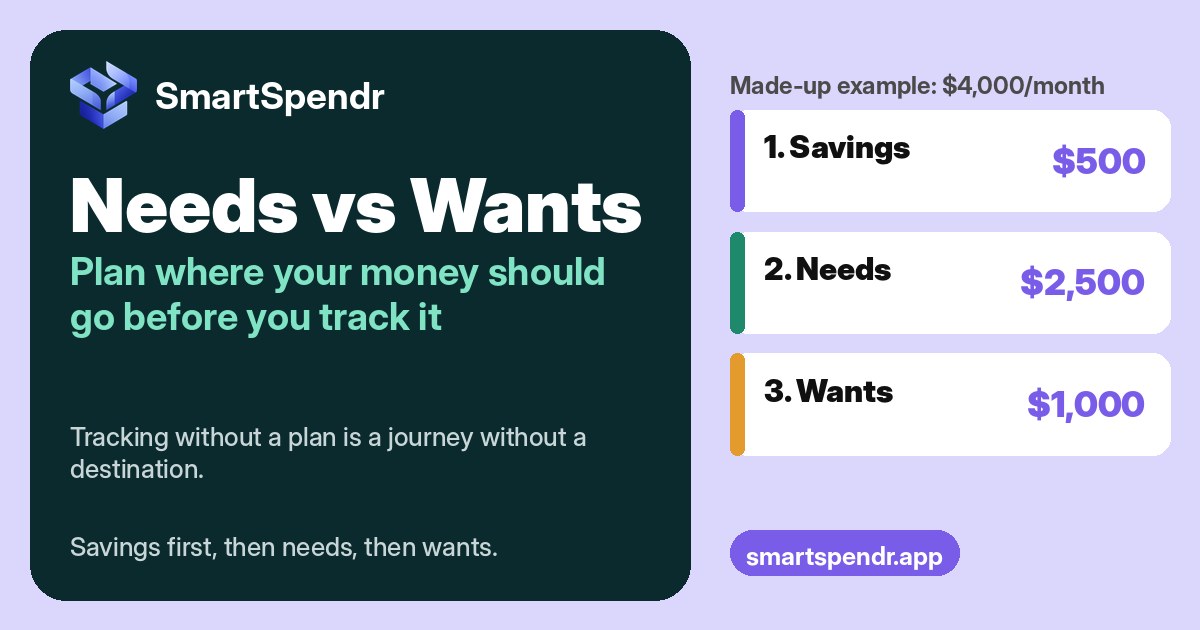
For a while, we tracked every expense and still had months where more money went out than came in. The records were all there. What we didn’t have was a plan for where the money was supposed to go.
Tracking without planning is like going on a journey without knowing the destination. You can see every mile you’ve driven, but you can’t tell if you’re on the right road. Once we sat down and worked out where our money should go, the picture got clear. And the earlier in the month we planned, the better that month went.
Sorting your spending into needs and wants is the first step of that plan. Here’s how we do it, including the expenses that don’t sort neatly.
Why we plan before we track
Tracking answers one question: where did my money go? A plan answers a different one: where should it go? You need both. With only tracking, a month of records is just a list. With a plan next to it, the same list shows you the gap, like the category that ran $120 over or the savings you meant to set aside and didn’t.
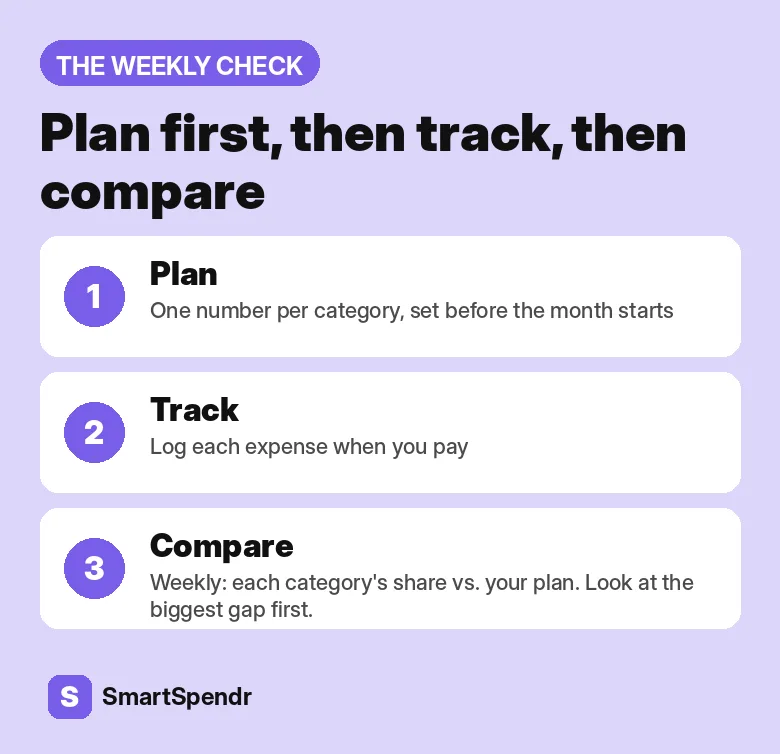
So the order matters. Plan first, then track, then compare.
Needs vs wants: a working definition
We keep the definitions practical:
- Needs are what you have to pay to live and work this month: rent or mortgage, utilities, groceries, getting to work, insurance, minimum debt payments.
- Wants are things you could pause for a month without real harm: eating out, streaming, new clothes beyond the basics, trips, hobbies.
- Savings is the third bucket: an emergency fund, retirement, or paying down debt faster than the minimum.
These three buckets come from the 50/30/20 rule, popularized by Elizabeth Warren and Amelia Warren Tyagi in All Your Worth. If your needs already take well over half your income, we walk through setting your own split in The 50/30/20 Rule When Rent Takes More Than Half.
The grey areas: it depends on your life
Here’s what we learned the hard way: the same expense can be a need for one person and a want for another. Whether something is a need depends on your health, your work and your goals.
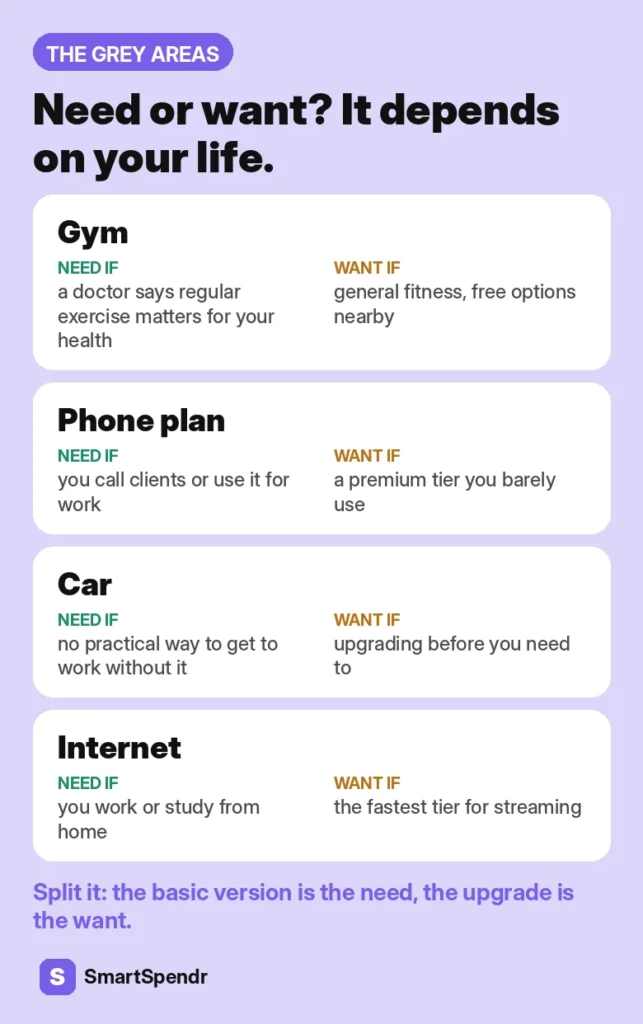
Take a gym membership. If your doctor has told you regular exercise is part of looking after a health issue, the gym can be a need. If it’s for general fitness and you’d be fine running outside, it’s a want. Or a phone plan: if you call clients all day, a reliable plan with enough minutes and data is a need. The latest phone on a monthly installment usually isn’t.
| Expense | Usually a need when… | Usually a want when… |
|---|---|---|
| Phone plan | You use it for work or to reach clients | It’s a premium tier you don’t use fully |
| Gym | A doctor recommends regular exercise for your health | It’s general fitness with free options nearby |
| Food | It’s groceries for regular meals | It’s takeout for convenience |
| Car | There’s no practical way to get to work without it | You’re upgrading before the old one needs replacing |
| Internet | You work or study from home | It’s the fastest tier for streaming |
| Clothes | They’re work clothes or replace worn-out basics | They’re new-season extras |
| Course or certificate | Your job requires it, or it’s tied to a set goal | It’s a “maybe someday” course |
| Pet costs | Food and vet care | Toys, treats and grooming extras |
The split-it rule
When an expense is part need and part want, split it. The basic version is the need. The upgrade is the want. A $90 phone plan where a $45 plan would cover your work calls is $45 of need and $45 of want.
Write down your reason
Next to each grey-area call, write one line on why. Next month you won’t have to argue with yourself again, and if your situation changes, like a new job or a new goal, you’ll know which calls to revisit.
Turn the sort into a plan: savings, then needs, then wants
We plan once a month, before the month starts, and we fill the buckets in this order:
- Savings first. Pick the amount and treat it like a bill.
- Needs next. Give each need category one number.
- Wants last. Whatever is left gets split across a few want categories, each with its own number. Having some money for wants on purpose makes the plan easier to stick to.
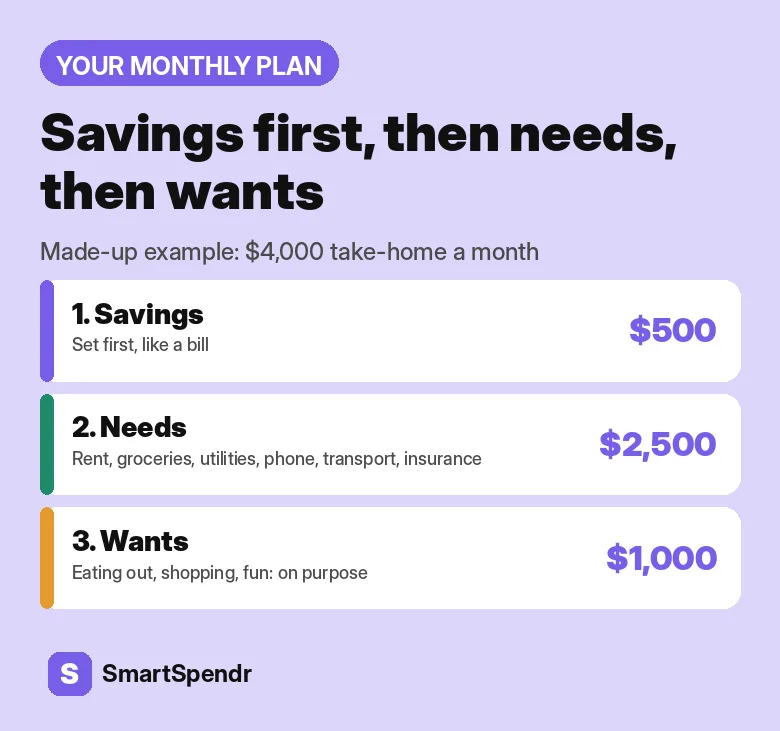
Here’s a made-up example for $4,000 of monthly take-home pay: $500 to savings first. Then needs: rent $1,400, groceries $400, utilities and internet $180, phone $60, transport $300, insurance $160, for $2,500 in total. That leaves $1,000 for wants: eating out $250, shopping $250, entertainment $200, subscriptions $60 and $240 for everything else.
In SmartSpendr, you can set a budget for each category on the free plan, so each number in your plan has a home. Try it free on iOS and Android.
Then track against it
Now tracking has a destination. Log each expense when you pay; Quick Add takes about 5 seconds. Once a week, open the category chart, which shows each category’s share of your total spending, and put it next to your plan. Is one category taking a bigger share than you gave it? That’s where to look first.
If you’ve never tracked before, our 7-day overspending test is a good warm-up.
Want a routine that sticks, cash included? Here’s how to track expenses without linking your bank.
Check your split with Budget Coach (Pro)
If you have Pro, Budget Coach in the AI Coach runs a 50/30/20 check for the current calendar month. The app sorts your categories into needs and wants, totals them from your own records, and compares the result with your income for that month. It needs “Share full transaction details” turned on. Transaction descriptions and notes are never sent to the AI.
One thing to keep in mind: the app sorts by category name, so it won’t know that your gym is a need for you. Read the result with your own plan beside it. We explain what the AI does with your numbers in AI Budget App, Explained.
Your plan for next month
- Pick a day before the month starts to plan.
- Set your savings amount first.
- List your needs and give each one a number.
- Decide your grey areas and write down why.
- Split what’s left across a few want categories.
- Log as you spend, and compare with your plan once a week.
Money left over at the end of the month is unspent, not saved. If you want it in savings, move it there on purpose.
SmartSpendr is free on iOS and Android. Set a budget per category, log expenses in about 5 seconds, and see where your money went next to where you planned it to go. Get SmartSpendr at smartspendr.app.
This post is for education only and isn’t financial advice.
2 thoughts on “Needs vs Wants: Plan Where Your Money Should Go Before You Track It”
Comments are closed.